













Product Description
Overview:
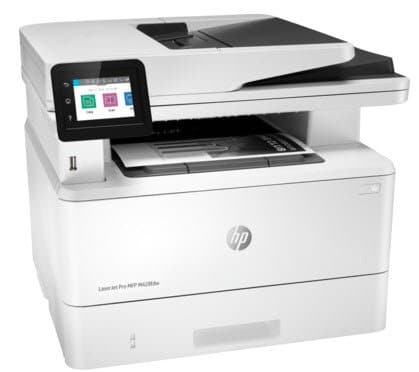
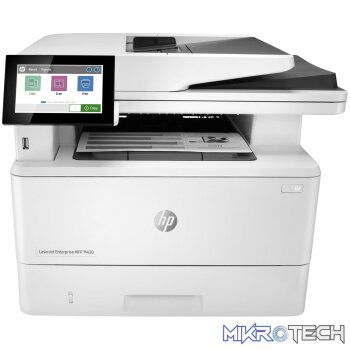
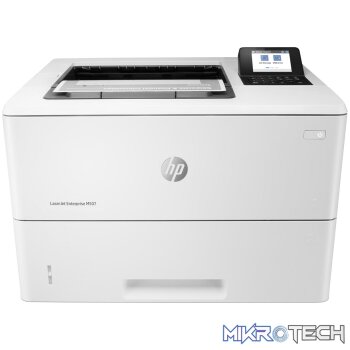
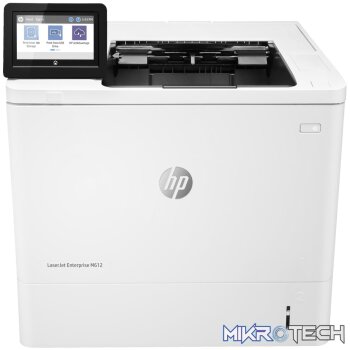
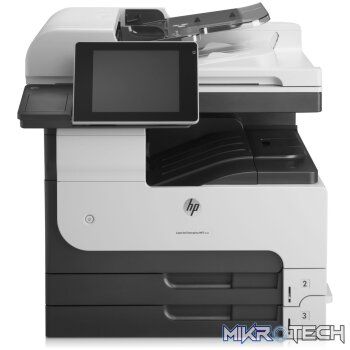
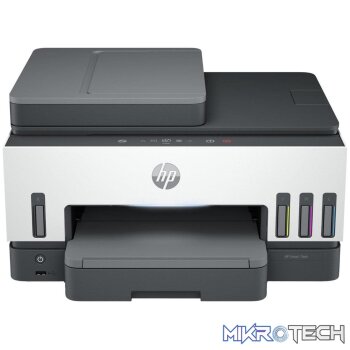
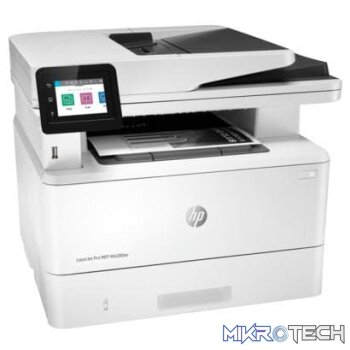
Winning in business means working smarter. The HP LaserJet Pro MFP M428 is designed to let you focus your time where its most effective growing your business and staying ahead of the competition. Dynamic security enabled printer. Only intended to be used with cartridges using an HP original chip. Cartridges using a non-HP chip may not work, and those that work today may not work in the future.
Features:
Built to keep youand your businessmoving forward
- Scan files directly to Microsoft SharePoint, Google Drive, Dropbox, email, USB, and network folders.
- Help save time by automating all the steps in a complicated workflow via a 1 button shortcut.
- Print wirelessly even without the network, stay connected with dual band Wi-Fi and Wi-Fi direct.
- Print effortlessly from any device, virtually anywhere, to any HP printersecurely through the cloud.
Best-in-class security- detect and stop attacks
- A suite of embedded security features help protect your MFP from being an entry point for attacks.
- Help ensure the security of confidential information with optional PIN/Pull printing to retrieve print jobs
- Thwart potential attacks and take immediate action with instant notification of security issues.
- Optional HP JetAdvantage Security Manager lets simply and efficiently secure your fleet of printers
Simply designed to uncomplicate your day
- Set up this MFP fast, and easily manage device settings to help increase overall printing efficiency.
- Tackle tasks quickly and easilywith the simple intuitive 2.7″ (6.8cm) color touchscreen.
- Print Microsoft office docs and pdfs right off your USB drive.
- Avoid interruptions with an HP LaserJet MFP designed to be streamlined for maximum productivity.
Sustainability is smart business
- Avoid frustrating reprints, wasted supplies, and service calls using Original HP toner cartridges
- Help save paper right out of the box. The duplex print setting is set at default paper savings mode.
- Saves up to 22% over prior products.
- Help save energy with HP Auto-on/Auto-off technology.
Product Specifications
| Functions | Print, Copy, Scan, Fax, Email |
|---|---|
| Print speed black | Normal: Up to 40 ppm |
| First page out (ready) | Black: As fast as 6.1 sec |
| Duty cycle (monthly, A4) | Up to 80,000 pages |
| Recommended monthly page volume | 750 to 4000 |
| Print technology | Laser |
| Print quality black (best) | HP FastRes1200 (Enhanced up to 4800 x 600 dpi) |
| Print Resolution Technologies | HP FastRes1200, HP ProRes1200, 600dpi |
| Print languages | HP PCL 6HP PCL 5cHP postscript level 3 emulationPDFURFNative OfficePWG Raster |
| Display | 2.7″ (6.86 cm) intuitive color touchscreen (CGD) |
| Processor speed | 1200 MHz |
| Automatic paper sensor | No”8″ sty |
| Mobile printing capability | Apple AirPrintGoogle Cloud PrintHP ePrintHP Smart AppMobile AppsMopria CertifiedRoam capable for easy printingWi-Fi Direct Printing |
| Wireless capability | Yes, built-in dual-band Wi-FiAuthentication via WEP, WPA/WPA2, WPA EnterpriseEncryption via AES or TKIPWPSWi-Fi DirectBluetooth Low-Energy |
| Connectivity, standard | 1 Hi-Speed USB 2.01 rear host USB1 Front USB portGigabit Ethernet LAN 10/100/1000BASE-T network802.11b/g/n / 2.4 / 5 GHZ Wi-Fi radio |
| Minimum system requirements | 2 GB available hard drive space, Internet connection or USB port, OS hardware requirements see apple.com; |
| Compatible operating systems | Windows Client OS (32/64 bit), Win10, Win8.1, Win 8 Basic, Win8 Pro, Win8 Enterprise, Win8 Enterprise N, Win7 Starter Edition SP1, UPD Win7 Ultimate, Mobile OS, iOS, Android, Mac, Apple macOS Sierra v10.12, Apple macOS High Sierra v10.13, Apple macOS Mojave v10.14, Discrete PCL6 Printer Driver, For more information on the supported operating systems go to http://support.hp.com, Enter your product name and search, Click on User Guides and enter your product name and search for User Guide, Search for your (Product Name) – User Guide, Search for the Supported Operating Systems section, UPD PCL6 / PS Printer Drivers, Supported Operating systems, For more information on the supported operating systems see http://www.hp.com/go/upd |
| Memory | 512MB DDR; 512MB Flash |
| Maximum memory | 512MB DDR512MB Flash |
| Internal Storage | No |
| Paper handling input, standard | 100-sheet tray 1250-sheet input tray 2; 50-sheet Automatic Document Feeder (ADF) |
| Paper handling input, optional | Optional third 550-sheet tray |
| Paper handling output, standard | 150-sheet output bin |
| Maximum output capacity (sheets) | Up to 150 sheets |
| Duplex printing | Automatic (default) |
| Media sizes supported | Tray 1: A4A5A6B5 (JIS)Oficio (216 x 340 mm)16K (195 x 270 mm)16K (184 x 260 mm)16K (197 x 273 mm)Japanese PostcardDouble Japan Postcard RotatedEnvelope #10Envelope MonarchEnvelope B5Envelope C5Envelope DLCustom Size4 x 6 in5 x 8 inStatementTray 2 & Tray 3: A4A5A6B5 (JIS)Oficio (216 x 340 mm)16K (195 x 270 mm)16K (184 x 260 mm)16K (197 x 273 mm)Custom SizeA5-R4 x 6 inB6 (JIS) |
| Media types | Paper (plain, EcoEFFICIENT, light, heavy, bond, colored, letterhead, preprinted, prepunched, recycled, rough); envelopes; labels; |
| Media weight, supported | Tray 1: 16 to 46.6 lb; tray 2, optional 550-sheet tray 3: 16 to 32 lb |
| Scanner type | Flatbed, ADF |
| Scan file format | PDF, JPG, TIFF |
| Scan resolution, optical | Up to 1200 x 1200 dpi |
| Scan size, maximum | 216 x 297 mm |
| Scan size (ADF), maximum | 216 x 356 mm |
| Scan size (ADF), minimum | 102 x 152 mm |
| Scan speed (normal, A4) | Up to 31 ppm/49 ipm (b&w), up to 21 ppm/36 ipm (color) |
| Recommended monthly scan volume | 750 to 4000 |
| Duplex ADF scanning | Yes |
| Automatic document feeder capacity | Standard, 50 sheets |
| Digital sending standard features | Scan to email with LDAP email address lookupScan to network folderScan to USBScan to Microsoft SharePointScan to computer with softwareFax archive to network folderFax archive to emailFax to computerEnable/disable faxQuick Sets |
| Scan input modes | Front-panel scan, copy, email, or file buttonsHP Scan softwareand user application via TWAIN or WIA |
| Copy speed (normal) | Black: Up to 40 cpm |
| Copy resolution (black text) | Up to 600 x 600 dpi |
| Copy resolution (color text and graphics) | Up to 600 x 600 dpi |
| Copy reduce / enlarge settings | 25 to 400% |
| Copies, maximum | Up to 999 copies |
| Faxing | Yes |
| Fax transmission speed | 3 sec per page |
| Fax memory | Up to 400 pages |
| Fax Resolution Black (best) | Up to 300 x 300 dpi (halftone enabled) |
| Fax Speed Dials, Maximum Number | Up to 120 numbers |
| Fax Broadcast Locations | 119 |
| Power | 110-volt input voltage: 110 to 127 VAC (+/- 10%), 50/60 Hz (+/- 2 Hz); 220-volt input voltage: 220 to 240 VAC (+/- 10%), 50/60 Hz (+/- 2 Hz) (Not dual voltage, product varies by part number with # Option code identifier) |
| Power consumption | 510 watts (active printing), 7.5 watts (ready), 0.9 watts (sleep), 0.9 watts (Auto Off/Wake on LAN, enabled at shipment), 0.06 watts (Auto-off/Manual-on), 0.06 (Manual Off) |
| Energy efficiency | ENERGY STAR qualifiedEPEAT SilverCECPBlue Angel RAL-UZ 205 |
| Blue Angel compliant | Yes, Blue Angel RAL-UZ 205 |
| Operating temperature range | 15 to 32.5°C |
| Recommended operating humidity range | 30 to 70% RH |
| Acoustic power emissions (ready) | Inaudible |
| Acoustic pressure emissions bystander (active, printing) | 53 dB(A) |
| Minimum dimensions (W x D x H) | 420 x 390 x 323 mm(16.54 x 15.35 x 12.72 in) |
| Maximum dimensions (W x D x H) | 430 x 634 x 325 mm(16.93 x 25 x 12.8 in)”8″ sty |
| What's in the box | HP LaserJet Pro M428fdwPreinstalled HP Black LaserJet Toner Cartridge (58A for AMS, yield ~3, 000 pages)Getting Started GuideSupport FlyerWarranty GuideRegulatory FlyerPower cordPhone cord. HP printer software is available at http://www.hp.com/support |
Reviews (0)
You must be logged in to post a review.
Product Questions & Answers
Questions & Answers
There are no questions yet. Be the first to ask a question about this product.
Only registered users are eligible to enter questions









































































































































Reviews
Clear filtersThere are no reviews yet.