











Product Description
Overview:
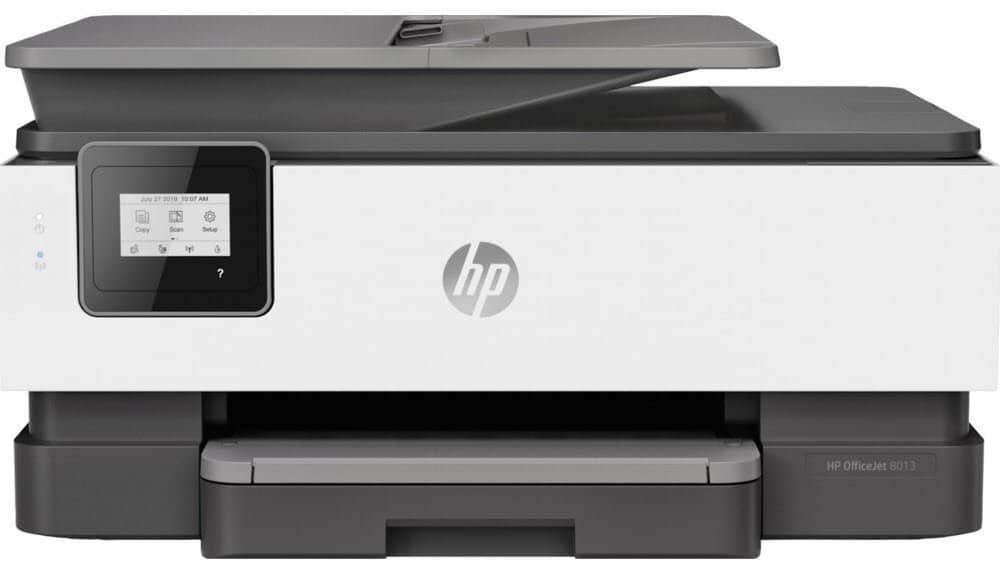
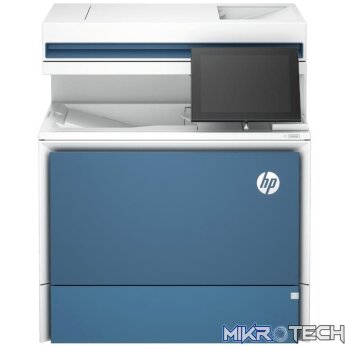
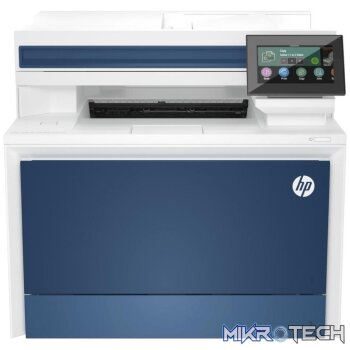
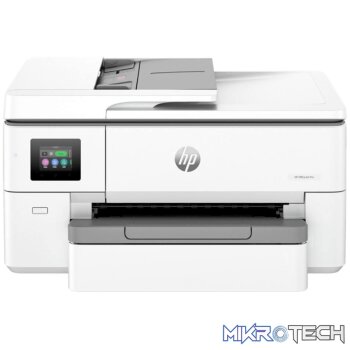
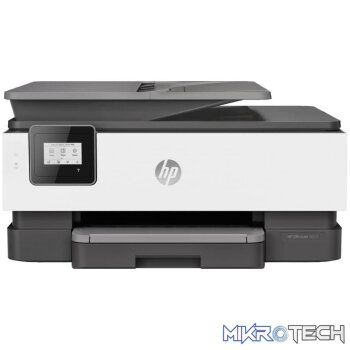
The productive smart printer that gets work done. Help save time with Smart Tasks shortcuts, and get automatic two-sided printing. Print and scan from your phone, and count on seamless connections and enhanced security. Dynamic security enabled printer. Only intended to be used with cartridges using an HP original chip. Cartridges using a non-HP chip may not work, and those that work today may not work in the future.
Features:
Designed to save you time
- Eliminate steps in repetitive tasks, using Smart Tasks. Scan to the cloud, email, and more in a tap.
- Work fast and hands-free with the 35-page auto-feeder. Get automatic two-sided printing.
- Take control of print, scan, and copy jobs with tap-and-swipe ease, using the touchscreen.
- This printer is made from recycled plastics and other electronics more than 15% by weight of plastic.
Freedom to work anywhere
- Connect to cloud-based printing with Wi-Fi or your cellular network to print from anywhere.
- Quickly access and print documents and images on your smartphone, from Dropbox and Google Drive.
- Get high-quality scanning to share to Dropbox, Google Drive, email, or the cloud from virtually anywhere.
- Get notifications when printing, scanning, or copying from your smartphone.
Enhanced security, reliable connections
- Reduce interruptions with self-healing Wi-Fi that keeps you connected.
- Get security essentials to help maintain privacy and control.
- Count on chatbot support and helpful notifications with the HP Smart app.
- Easily share resources access and print with wireless and Ethernet networking.
Ordering ink has never been easier
- Print more pages and change cartridges less often with Original HP high-yield cartridges.
- Create vibrant, professional-quality color graphics, ideal for office use and presentations.
- Get rich black text for all your business documents.
Product Specifications
| Functions | Print, copy, scan |
|---|---|
| Multitasking supported | Yes |
| Print speed black | ISO: Up to 18 ppmDraft: Up to 28 ppm |
| Print speed color | ISO:Up to 10 ppmDraft:Up to 24 ppm |
| First page out (ready) | Black: As fast as 13 secColor: As fast as 17 sec |
| Duty cycle (monthly, A4) | Up to 20,000 pages(Duty cycle is defined as the maximum number of pages per month of imaged output. This value provides a comparison of product robustness in relation to other HP Color InkJet devices.) |
| Recommended monthly page volume | Up to 800 pages |
| Print technology | HP Thermal Inkjet |
| Print quality (best) | Color: Up to 4800 x 1200 optimised dpi on HP Advance Photo Paper 1200 x 1200 dpi inputBlack: 1200 x 1200 rendered dpi |
| Display | 5.58 cm (2.2 in) Capacitive Touchscreen MGD |
| Processor speed | 1.2 GHz |
| Number of print cartridges | 4 (1 each black, cyan, magenta, yellow) |
| Print languages | HP PCL3 GUI |
| Automatic paper sensor | No |
| Replacement cartridges | HP 912 Black Original Ink Cartridge (~300 pages) 3YL80AHP 912 Cyan Original Ink Cartridge (~315 pages) 3YL77AHP 912 Magenta Original Ink Cartridge (~315 pages) 3YL78AHP 912 Yellow Original Ink Cartridge 3YL79A (~315 pages)HP 912XL Black Original Ink Cartridge (~825 pages) 3YL84AHP 912XL Cyan Original Ink Cartridge (~825 pages) 3YL81AHP 912XL Magenta Original Ink Cartridge (~825 pages) 3YL82AHP 912XL Yellow Original Ink Cartridge 3YL83A (~825 pages)Actual yield varies considerably based on content of printed pages and other factorsDynamic security enabled printer. Only intended to be used with cartridges using an HP original chip. Cartridges using a non-HP chip may not work, and those that work today may not work in the future. |
| Mobile printing capability | Apple AirPrintWi-Fi Direct PrintingMopria CertifiedHP Smart |
| Wireless capability | Yes, built-in Wi-Fi 802.11a/b/g/n |
| Connectivity, standard | 1 Wireless 802.11a/b/g/n |
| Minimum system requirements | Windows 10, 8.1, 8, 7: 1 GHz 32-bit (x86) or 64-bit (x64) processor, 2 GB available hard disk space, CD-ROM/DVD drive or Internet connection, USB port, Internet ExplorerOS X v10.11 El CapitanmacOS Sierra v10.12 (previously OS X)macOS High Sierra v10.13macOS Mojave v10.141.5 GB available hard disk spaceInternet access |
| Compatible operating systems | Windows 10, 8.1, 8, 7, Windows Server 2008 R2 64-bit, Windows Server 2008 R2 64-bit (SP1), Windows Server 2012 64-bit, Windows Server 2012 R2 64-bit, Windows Server 2016(Windows XP and Windows Vista not supported) |
| Memory, standard | 256 MB |
| Maximum Memory | 256 MB DDR3 SDRAM |
| Paper handling input, standard | 225 sheet input tray, 35 sheet ADF |
| Paper handling output, standard | 60 sheet output tray |
| Maximum output capacity (sheets) | Up to 60 sheets |
| Duplex printing | Automatic (standard) |
| Media sizes supported | A4, A5, A6, B5(JIS); Card A4; Photo (13 x 18 cm, 10 x 15 cm); Envelope (A2, C5, C6, DL) |
| Media sizes, custom | Tray 1: 76.2 x 127 to 215.9 x 355.6 mm |
| Media types | Plain Paper, HP Photo Papers, HP Matte Brochure or Professional Paper, HP Matte Presentation Paper, HP Glossy Brochure or Professional Paper, other Photo Inkjet Papers, other Matte Inkjet Papers, other Glossy Inkjet Papers, Thick Plain Paper, Light/Recycled Plain Paper, HP Tri-fold Brochure Paper, Glossy |
| Media weights, supported | 60 to 105 g/m² (plain); 220 to 280 g/m² (photo); 75 to 90 g/m² (envelope); 163 to 200 g/m² (card) |
| Media weights, recommended | 60 to 105 g/m² (plain); 220 to 280 g/m² (photo); 75 to 90 g/m² (envelope); 163 to 200 g/m² (card) |
| Borderless printing | Yes, on photo paper only (up to 210 x 279 mm) |
| Scanner type | Flatbed, ADF |
| Scan file format | JPG, BMP, TIFF, PDF, RTF, TXT, PNG |
| Scan resolution, optical | Up to 1200 dpi |
| Bit depth | 24-bit |
| Scan size, maximum | 215.9 x 297 mm |
| Scan size (ADF), maximum | 215.9 x 355.6 mm |
| Scan size (ADF), minimum | 127 x 127 mm |
| Scan speed (normal, A4) | Up to 8 ppm (200 ppi, black and white), up to 3.5 ppm (200 ppi, colour) |
| Automatic document feeder capacity | Standard, 35 sheets |
| Digital sending standard features | Scan to PC |
| File Format Supported | PDFTIFFJPEG |
| Scan input modes | Front-panel scan, copy, HP Software, EWS, Mobile apps |
| Copy speed (draft) | Black: Up to 28 cpmColor: Up to 22 cpm |
| Copy resolution (black text) | Up to 600 dpi |
| Copy resolution (color text and graphics) | Up to 600 dpi |
| Copy reduce / enlarge settings | 25 to 400% |
| Copies, maximum | Up to 99 copies |
| Power | Input voltage: 220 to 240 VAC (+/- 10%), 50/60 Hz (+/- 3 Hz) |
| Power consumption | Up to 21 watts (Printing), 5.80 watts (Ready), 0.90 watts (Sleep), 0.08 watts (Manual-Off) |
| Operating temperature range | 5 to 40°C |
| Minimum dimensions (W x D x H) | 460 x 341.2 x 234 mm |
| Maximum dimensions (W x D x H) | 460 x 511.25 x 233 mm |
| Weight | 8.2 kg |
| Package weight | 10.4 kg”8″ sty |
| What's in the box | HP OfficeJet 8013 All-in-One PrinterHP 912 Setup Black Ink CartridgeHP 912 Setup Cyan Ink Cartridge, HP 912 Setup Magenta Ink CartridgeHP 912 Setup Yellow Ink CartridgeUser guideSetup posterPower cordFor ink volume and page yield information, please visit http://www.hp.com/go/learnaboutsupplies. |
| Cable included | No, please purchase USB cable separately |
| Software included | HP Printer SoftwareHP UpdateShop for Supplies OnlineHP Photo Creations |
Reviews (0)
You must be logged in to post a review.
Product Questions & Answers
Questions & Answers
There are no questions yet. Be the first to ask a question about this product.
Only registered users are eligible to enter questions







































































































Reviews
Clear filtersThere are no reviews yet.