













Images & Specifications Are For Illustrative Purposes Only & May Differ From The Actual Product. E&OE
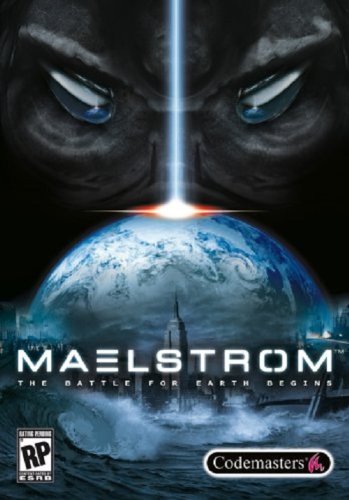
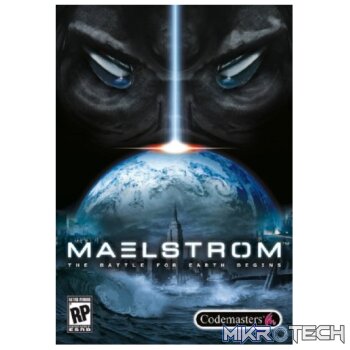
Maelstrom: The Battle For Earth Begins Steam CD Key
R179.99 incl. VAT
Only 4 left in stock
Maelstrom: The Battle for Earth Begins Trailer

In the space of fifty years, Earth changed from a planet on cusp of a challenging future to a world a breath away from lifelessness and plunged into an apocalyptic time of ecological disaster, global warfare and the meltdown of human civilization. This is the time of the Maelstrom. In this ravaged world, the planet's dwindling resources have divided what remains of mankind in two: the urban freedom fighting 'Remnants' and the technologically advanced 'Ascension'. Now they must wage war against a new threat, the invasion of a savage alien race, the Hai-Genti, and each other in a desperate struggle for supremacy and survival. Through the game's missions, take command from different viewpoints and employ faction-specific tactics and weaponry to achieve your objectives. Complete with the ability to terraform landscapes and transform units, Maelstrom provides gamers with the power to harness the forces of nature in the most frantic, destructive, action-packed RTS game yet.
Developer: KD Vision
Publisher: Codemasters
Genre: Strategy
Platform: Steam
Release Date: 2007-02-20
Age-Rating:
Metacritic Score: 58

Maelstrom: The Battle for Earth Begins Minimum System Requirements:
Please ensure that your system meets the minimum requirements & will be compatible before purchase.
Windows
OS: Windows XP
Processor: Pentium 4 2.4 GHz or Athlon XP 2400+
Memory: 512 MB
Graphics: Supported 64Mb Graphics Card
DirectX Version: DirectX 9.0c
Sound: DirectX 9.0c-compliant sound card
Hard Drive: 4.5 GB free hard disk space
Supported Graphics Cards: ATi Radeon 9200, 9500, 9600, 9700, 9800, X700, X850, X1300, X1600, X1800, X1900, X1950 nVidia GeForce 4 (not MX), FX 5200, 5600, 5700, 5800, 5900, 5950, 6800, 7800, 7900, 7950 Not compatible with all integrated sound/graphics solutions (inc. Laptops).
How To Activate The CD Key?
Go to: http://store.steampowered.com/ and download STEAM client
Click “Install Steam” (from the upper right corner)
Install and start application, login with your Account name and Password (create one if you don’t have).
Please follow these instructions to activate a new retail purchase on Steam:
Launch Steam and log into your Steam account.
Click the Games Menu.
Choose Activate a Product on Steam…
Follow the onscreen instructions to complete the process.
After successful code verification go to the “MY GAMES” tab and start downloading.
| Developer | KD Vision |
|---|---|
| Publisher | Codemasters |
You must be logged in to post a review.
Questions & Answers
There are no questions yet. Be the first to ask a question about this product.



















































































































































Reviews
Clear filtersThere are no reviews yet.